More STEAM Resources For Your Family

Happy Thursday, families! I have three sites to share with you that will be great resources to share with your kids. One site reviews games and toys, one site is a mobile app development company for children’s apps, and the third is a toolkit from the US Dept. of Education. You can find additional apps, websites, and videos on our Resources for Families page.


icon-T3-e1479978173770.png    Avokiddo offers fun yet educational app games on different topics ranging from physics to play. The company not only develops games for kids for mobile devices, but they also make sure that the platform is kid-friendly:  there are no ads, and it follows online privacy measures for children, or COPPA (the Children’s Online Privacy Protection Act). Check out the Thinkrolls: Kings & Queens app. This app is for children ages 5 and up and features logic puzzles, simple machines for physics learning, and amedieval them.

 

imgres.png  Tech Age Kids gives product reviews on toys and games. They also feature science/technology/engineering/math activities for parents and grandparents to do with the young child in their lives. Check out their article “Coding Games For Kids – What’s New for 2017”.
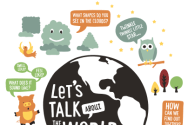
 

screen-shot-2017-02-01-at-8-30-34-pm  The US Department of Education has a site of tip sheets for family members, caregivers, and early childhood educators. These resources are divided into major themes that your child will encounter in the early ages, such as social-emotional learning, STEM (science, technology, engineering, and math), and fostering literacy skills through reading and singing. Download these printable tip sheets today!
 

Science Reflections 2016

“For Leonardo, there could be no art without science. He believed that the truth about the world could only be learned through careful observation and that all theories had to be tested against what could be seen and experienced in the real world.”

Museum of Science exhibit entitled DaVinci -The Genius

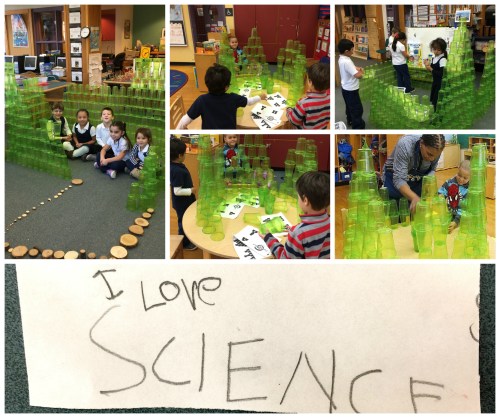
2016 was a great year for science in the classroom! Here are some photos from out Fall 2016 semester at the East Boston EEC.

This slideshow requires JavaScript.

A Successful Hour of Code at East Boston EEC

Playing with Bee-Bots. Working in pairs to complete a task as a “programmer” and a “robot,” learning how to code the “unplugged” way.  All of this happened last week as we celebrated Computer Science Education Week and the annual Hour Of Code.

Check out how our activities for Hour of Code went by clicking through the slideshow!  Comment below if you did any activities with your children or students.

This slideshow requires JavaScript.

To- Parents. For- Hour of Code

Dear Parents,

We live in a world surrounded by technology. We know that whatever field our students choose to go into as adults, their ability to succeed will increasingly depend on img_4765understanding how technology works.  However, only a tiny fraction of us are learning how technology works because of lack of technology access and lack of exposure to the types of careers available in the world. It also doesn’t help that fewer than half of all schools teach computer science.
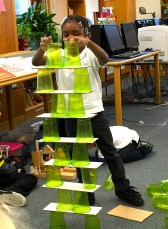
That’s why next week, our entire school is joining in on the largest learning event in history: The Hour of Code, during Computer Science Education Week (December 5-11). More than 100 million students worldwide have already tried an Hour of Code to date. This is a chance to change the future of education in Boston!

Our Hour of Code is making a statement that East Boston EEC is ready to teach these foundational skills that we call “21st century skills”. To continue bringing programming activities to your students, we want to make our Hour of Code event as huge as we can! I img_4882encourage you to share the news on your Facebook/Twitter/ other social media channels and consider dedicating some time next week at home to participate in Hour of Code activities.
See the Hour of Code website for details, and help spread the word. Below are some additional activities to try with your child from Scratch, Jr. They are appropriate for children ages 5-9 and have the following themes: programming, storytelling, mathematics, art, and creativity. Simply click on each link to download the activity sheet for that activity.


unnamed

Can I Make the Sun Set?

Students will be introduced to computer programming by making a sun set over a city landscape.


unnamed-2

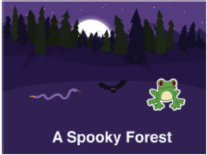
Can I Make a Spooky Forest?

Students will create a spooky forest that features multiple characters called “sprites”. This way, they learn more about how to use Scratch, Jr.


unnamed-1

Can I Make My Characters Greet Each Other?

Students will learn advanced features of the Scratch Jr. app by making a dog and cat meet each other and exchange hellos.


Be sure to let me know if you’re planning on doing any activities next week, and how they went.  I would love to hear your stories and to see what projects your child will create!


Happy Coding!

Alicia Carroll

Young STEAM Inventors

Come Join Us For the Hour Of Code

The Hour of Code is a global movement to introduce learners of all ages to the world of coding and computer programming.  Schools, businesses, and nonprofits organize events in their communities during Computer Science Education Week (CSEdWeek).  This year, CSEdWeek will be celebrated from December 5th-11th.  You can check out the website at this link.  Anyone can host an Hour of Code event. Last year, I led students at the East Boston EEC in learning different skills that are important in computer programming.

4th collage

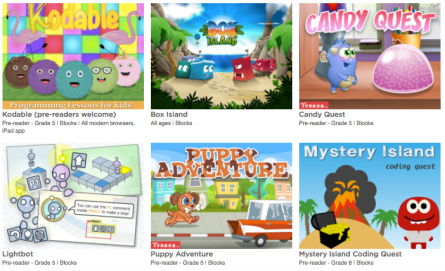
We will be participating in the Hour of Code again this year with BPS Tech!  They’ve created an entire website with information on different events happening during the week.  BPS has also curated a collage of activities and apps that you can play with your child, no matter if you’re using your smartphone, your tablet or iPad, your laptop, or desktop computer. You can access them on the page for “Resources for Elementary Schools”. Also, check out Code.org:

Screen Shot 2017-03-25 at 9.48.14 PM

Featured games that are appropriate for your child’s grade level include:

  1. Kodable
  2. Box Island
  3. Light Bot
  4. My First Computer
  5. Peep: Nature Walk
  6. Puppy Adventure

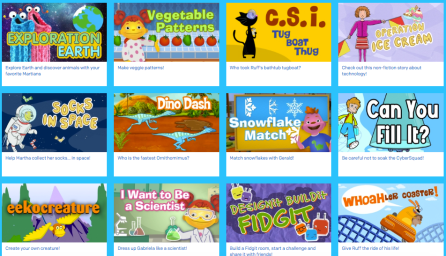
PBS Kids also features dozens of intereactive science games on their website.

Screen Shot 2017-03-25 at 9.49.37 PM

Lastly, you can refer back to our Resources page for several apps and websites that are great for helping your child to explore STEAM.

Young Researchers at Play

3rd collage.jpg

“Play gives children a chance to practice learning.” – Mr. Rodgers

Fish, Seashells and The Mollusk Family

“Culture arises and unfolds in – and as – play.”

~ Johan Huizinga, Dutch historian

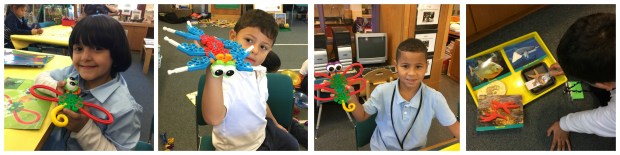
Our Animals 2×2 unit is taking us around the world through story, research and play. We studied and researched fish, fish fossils and families of fish. We read the book One Leaf Rides the Wind and discovered that goldfish are related to Koi fish. as one student uttered, “they are cousins”. We read the book Seashells and The Mollusk Familywhile exploring coral reefs in the carribean, and discoverd that cowrie shells were used as currency in East Africa and China during the Ming Dynasty. I was able to share this information based on my travels to China and the East African Coast as a Fulbright Scholar. Students were fascinated to learn that shells were used to purchase food, create jewerly and protect mollusks from predators. Students sorted seashells from different countries by their shape, size, color and texture.

Worm Research and The Adventures of Squirmin’ Herman

2nd Collage

“Play is our brain’s favorite way of learning.” – Diane Ackerman

Two weeks ago, we conducted “worm research” and students observed, created science drawings while labeling the parts of a worm and conducted research(through non fiction texts and the internet) to answer their many questions with scientific evidence. Students had many questions, for example, “Do worms have eyes?, What do worms like to eat? and How do worms make other worms? Our research led us to the website “The Adventures ofSquirmin’ Herman The Worm,” a kid friendly website that takes young learners on an adventure of worm facts and resources. Students recorded their discoveries into their science notebooks. They discovered that redworms move faster than earthworms as the worms “escaped” from their habitats acrooss the tables and on to the rug, measued the legths of both worms and laughed hysterically while trying to pronounce the word “clitellum” from my iphone voice activator, learned that worms poop and can identify a young worm vs a grownup worm. As one learner said “having worms in your garden means your the soil is healthy”. The Earthworms are going into our school garden next week.

adventures2
Herman the Squirmin’ Worm also provides great additional resources about worms.  You can explore these resources with your child by clicking on the link HERE!